Klar
Marketing · classic structure
Resume and application · templates and samples
Compare resume templates and matching cover letters with complete examples. Find the style that shows your experience clearly, then shape your application with CVura.
The template collection
Classic or modern: Compare structure, typeface, and space for your experience. Each template includes a complete resume and a matching cover letter.
Marketing · classic structure
Project management · with sidebar
Data analysis · reduced layout
Administration · clear structure
Sales · explaining results
Trades · practical experience
Leadership · experience in focus
Career start · projects and practice
Design · creative professions
Logistics · making processes visible
Hospitality · service and team
Education · projects and people
Nursing · qualifications and practice
IT · technical contributions
Customer service · communication
Career change · transferable experience
Finance · showing accuracy
Social work · experience with people
Media · editorial work
Health · organization
Marketing · compact version
Projects · typographic version
Analysis · spacious version
Leadership · linear version
Career start · reduced version
Design · structured version
Nursing · calm version
IT · profile and experience
Service · modern version
Career change · focused version
Open a preview to read the full document. Once it is open, you can switch between resume and cover letter.
Fictional application samples · No account needed · No editing on this websiteSee all 30 Resume templates in one overview ↗Found a style that fits? Discover CVura and see how the app can help you keep working on your application.
Your application step by step
Put the job posting, your current resume, and key documents side by side. Separate gathering from writing: First decide which experience fits the role. Then write the text and choose the layout. That way you do not have to rebuild every paragraph later.
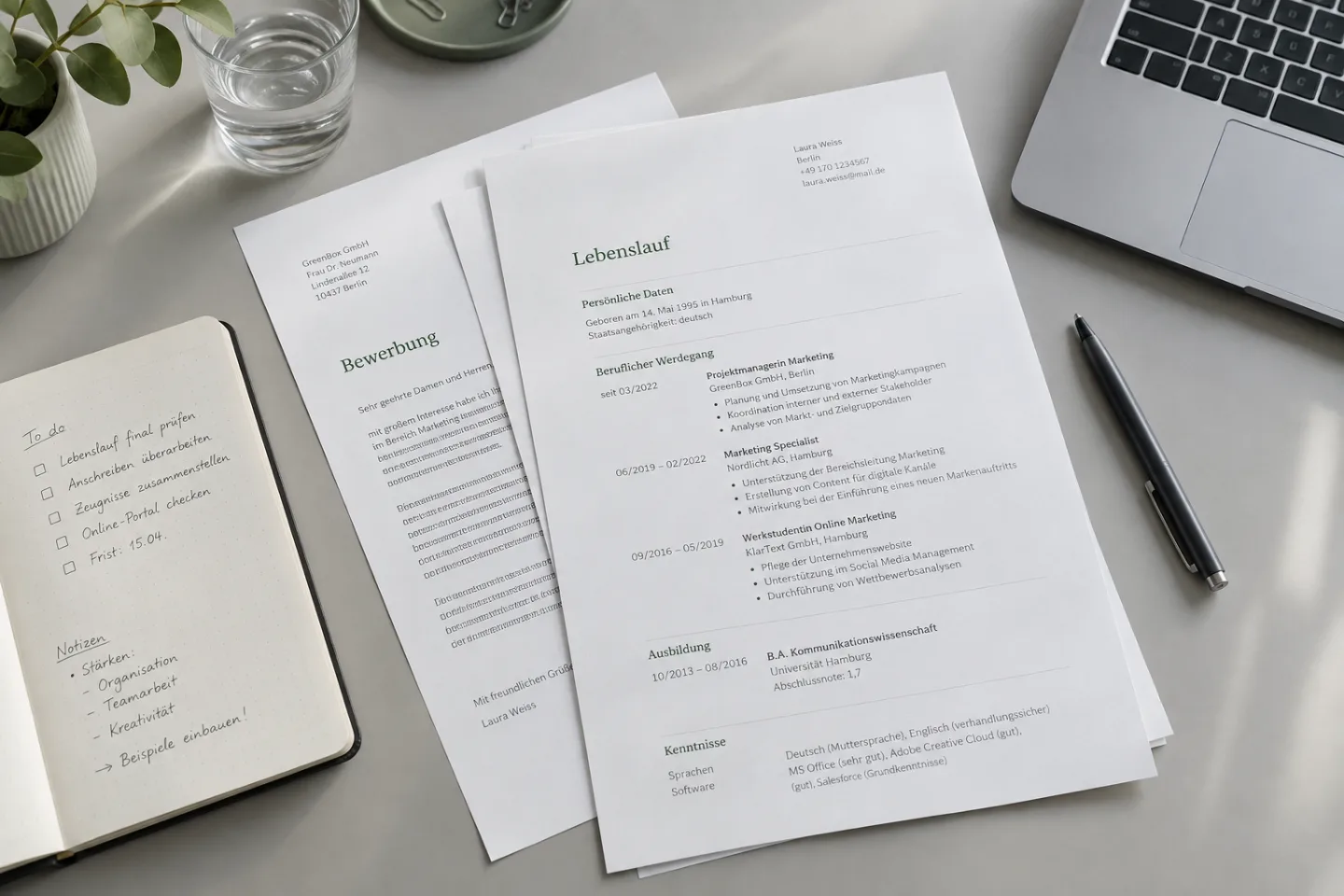
For each role, note the dates, the title, and two to four concrete contributions. Think of a typical work week: Which task did you take on, whom did you work with, and what did you finish? Capture keywords first, for example “aligned delivery dates with three suppliers”. At the end of this step you have a collection of facts, not a finished application text.
Start with the resume →Mark three central tasks from the posting and match each one to experience of your own. Distinguish professional practice, project work, and skills you are still building. If you cannot back something up, note an open question instead of a claim. Your selection then shows which roles deserve more space on the resume and which experience the cover letter should deepen.
Translate the requirements →Write the resume from your notes and add the cover letter when it is expected. Read both documents together: Do titles and dates match, and does the cover letter give an extra reason for your application? After that, check the files you actually attach and the requirements in the posting. The result is a version tailored to this role.
Go to the application check →Create a resume
Your resume should show what you bring to this role. For an experienced professional, the emphasis usually starts with current work experience. If you are just finishing your education, training and relevant projects can take more space. Within a section, the most recent role comes first.
Give your roles a repeating structure: dates, title, employer, and selected contributions. A job title rarely explains the full scope of work. So add which customers, processes, or products you worked on. For an internal promotion, separate roles with their own dates help make the development visible.
Ask for every bullet: Which requirement does it support? In an application for project coordination, aligning dates belongs near the top; occasional intranet upkeep can stay shorter.
No solid number? Describe the process: “Collected open customer questions, clarified them with development, and documented answers for the service team.” That is more precise than an invented percentage improvement.
Check email address, phone number, and linked work samples from the finished file. For an application abroad, the right country code helps. Do not link an unfinished portfolio: One well chosen, accessible example is more helpful than several pages without recognizable work of your own.
Start with repeated routine tasks and details with no link to the target role. An older role can work with dates, title, and employer. Do not remove whole periods of time at random. If you need a second page, keep type size and spacing consistent instead of squeezing the entire text.
Marketing Manager · Hamburg
Tobias Hartmann · Hamburg · a reachable email address · phone number. Add a portfolio link only when it fits the role and works.
Fictional example: “Marketing Manager with experience in campaign planning and alignment between editorial, design, and sales.” A profile is worthwhile when it explains your direction; you can leave out lists of traits alone.
03/2022 – present · Marketing Manager · Studio Nord. After that come concrete tasks instead of a collection of traits.
B.A. Medienmanagement · Hochschule Hamburg · 2016–2019. For further training, name the topic and provider, not only “various courses”.
Example: “Excel: pivot tables for monthly reports”. That turns a tool name into a skill you can explain.
Resume examples to build on
What does “a team player” mean in your everyday work? These resume examples show the difference between a claim and a contribution you can explain. Choose a field and compare.
“Responsible for projects and communication in the team.”
“Coordinated the website relaunch between editorial, design, and development and documented open decisions for the weekly alignment.”
The example names the effort, the teams involved, and the person’s own task. A measurable project result is not claimed when there is no evidence for it.
“Customer focused and communicative in everyday work.”
“Handled technical customer requests, clarified open cases with development, and added recurring solutions to the knowledge base.”
A trait becomes a process: handle the request, clarify the open question, capture the knowledge. Replace these steps with activities you actually took on.
“Worked on various group projects during my studies.”
“In a project team of four, analyzed customer interviews, derived recurring needs, and presented the recommendation to the practice partner.”
The whole team project is not attributed to one person. What becomes visible is their part in the analysis and how the results were used next.
Use the pattern: task + your own contribution + context. Use only facts that are actually true for you. Numbers help when you can support them – they are not required in every sentence.
The right resume format
Choose based on your content, not only the color. These four starting points help you narrow down the resume templates. The most important test: Does your longest role fit without shrinking the typeface?
Are you applying in a similar field, and is your most recent experience your strongest argument? Then it needs visible roles, time periods, and contributions. Check especially whether longer employer names and several positions at one company stay easy to scan.
“Klar” template: for a straightforward path. Shorten older roles before you shrink the type.Does your previous job title not map directly to the target role? A short profile can explain the connection, for example from event organization to project coordination. The roles that follow show the related practice. The profile does not replace a timeline you can understand.
“Perspektive” template: for a career change. Explain the new direction without renaming earlier job titles.Does a portfolio, final project, or practice project explain your fit better than a long list of duties? Choose space for the project goal, what you did, and a visible result. With several projects, a short selection with context is more helpful than a list of project names alone.
“Auftakt” template: for a career start; “Studio” for design. For team projects, always name what you yourself did.For leadership roles, the scope must be visible besides the work itself: team size, responsibility, and important decisions. Check whether the layout leaves enough space for that. A highlighted title alone explains neither your room to decide nor the changes you supported.
“Profil” template: for leadership responsibility. Distinguish professional coordination from people management.Application samples for your path
An application with ten years of experience needs different emphasis than the first application after training. Choose examples that fit your situation, and use that way of presenting your own experience.

Internships, working student jobs, vocational training, volunteer work, and substantial projects can say a lot about how you work. Describe your task, the collaboration, and the result. A mere list of study modules does not yet show how you apply your knowledge.
Fictional example: “In the final project, compared three order processes, documented weak points, and presented a recommendation to the practice partner.” For team work, always name what you yourself did.
Especially relevant: Practice · Projects · Learning progressAssign two or three tasks of the target role that you already know from another setting. Look for comparable processes, customer questions, or alignment work. Then describe what transfers and which specialist knowledge you are still building. Further training explains the learning step; a project of your own shows what you can already do with it.
Fictional example: Someone who has organized events can support project coordination with date planning and alignment with service partners. The earlier job title stays unchanged.
Especially relevant: Transferable tasks · New practiceWhat was in your area of responsibility? How large was the team, and which change did you support? Separate your leadership contribution from the results of the whole team. That way prioritization, collaboration, and judgment become visible behind a title.
Fictional example: “Coordinated the professional work of six colleagues and prioritized the tasks in the weekly planning conversation.” Name people responsibility only when it actually belonged to your role.
Especially relevant: Responsibility · Decisions · DevelopmentAfter a pause you do not need a justification for every month. Name the period factually and choose a clear description, for example “family time”, if it applies. Put the emphasis on the target role and your knowledge today. Planned further training is not yet a completed credential: Mark courses in progress and current practice projects accordingly.
A useful starting point: Review three current postings for your target role. Which skills do you bring, which have you refreshed, and where do you still need practice? That creates a concrete plan for returning to work.
Especially relevant: Professional foundation · Currency · MotivationPauses and changes on the resume →Cover letter templates & application samples
The resume shows your experience. The cover letter connects it with this role: Why does the work interest you, what do you bring to it, and why does the move make sense?
Choose one or two central tasks from the posting. For each, describe which experience you bring and how it helps you with the new work. For the company connection, one concrete starting point is enough: a target group, a product, or a challenge named in the posting. General praise such as “an innovative company” does not yet explain your decision.
Plan the text as a short argument: an opening tied to the work, one supported focus, motivation, and a close. For a check, cover the company name: Could the paragraph go unchanged to five other employers? Add the missing connection there. Whether you send a cover letter depends on the posting or the application portal.
Write a cover letter step by step →Fictional example for a role in campaign planning: “Alignment between editorial and sales is part of my everyday work. I would like to bring this experience into the planning of your product campaigns.” The opening names the matching work right away. Adjust both sides: your actual experience and the task from the posting.
“At Studio Nord I introduced a shared campaign briefing that records responsibilities and approvals before a project starts.” The sentence supports the experience from the opening. Then explain the connection: “I would like to bring this focus on clear processes into the collaboration across several product teams that you describe.”
“I would be glad to explain in conversation how I can support the collaboration of your teams.” Add a start date or salary expectation when you are asked for it. At the end, check names, company, and job title – especially when you reuse a file.
Tailor the application to a role
Read the task description before the list of desired traits. What should the person actually take on in everyday work? Mark recurring tasks and clearly required qualifications separately from nice to have skills. After that, translate general terms into a situation you know from your work.
Fictional example: “Prioritized open service cases by urgency, clarified follow up questions with the specialist teams, and recorded the next steps in the ticket system.”
Fictional example: “Aligned delivery dates between purchasing and the warehouse and documented deviations for the weekly plan.”
Fictional example: “Compared monthly return reasons in Excel, grouped recurring causes, and prepared them for the assortment meeting.”
Fictional example: “Clarified a faulty delivery with logistics and the customer, agreed a replacement date, and confirmed the solution in writing.”
Not every requirement carries the same weight. If a clearly required qualification is missing, clarify the room to maneuver with the named contact when it is unclear. For nice to have skills you can name related practice or your current learning. Example: “Experience with reports in Excel; basic SQL knowledge from a course in progress.” That separates existing use from new knowledge, instead of presenting both as equal professional practice.
Readability & application portals
Many application portals read details from an uploaded file and place them into form fields. This step is called parsing. It is not the same as a decision about your fit. So check two things separately: Is the document easy to read, and were your details assigned correctly in that portal?
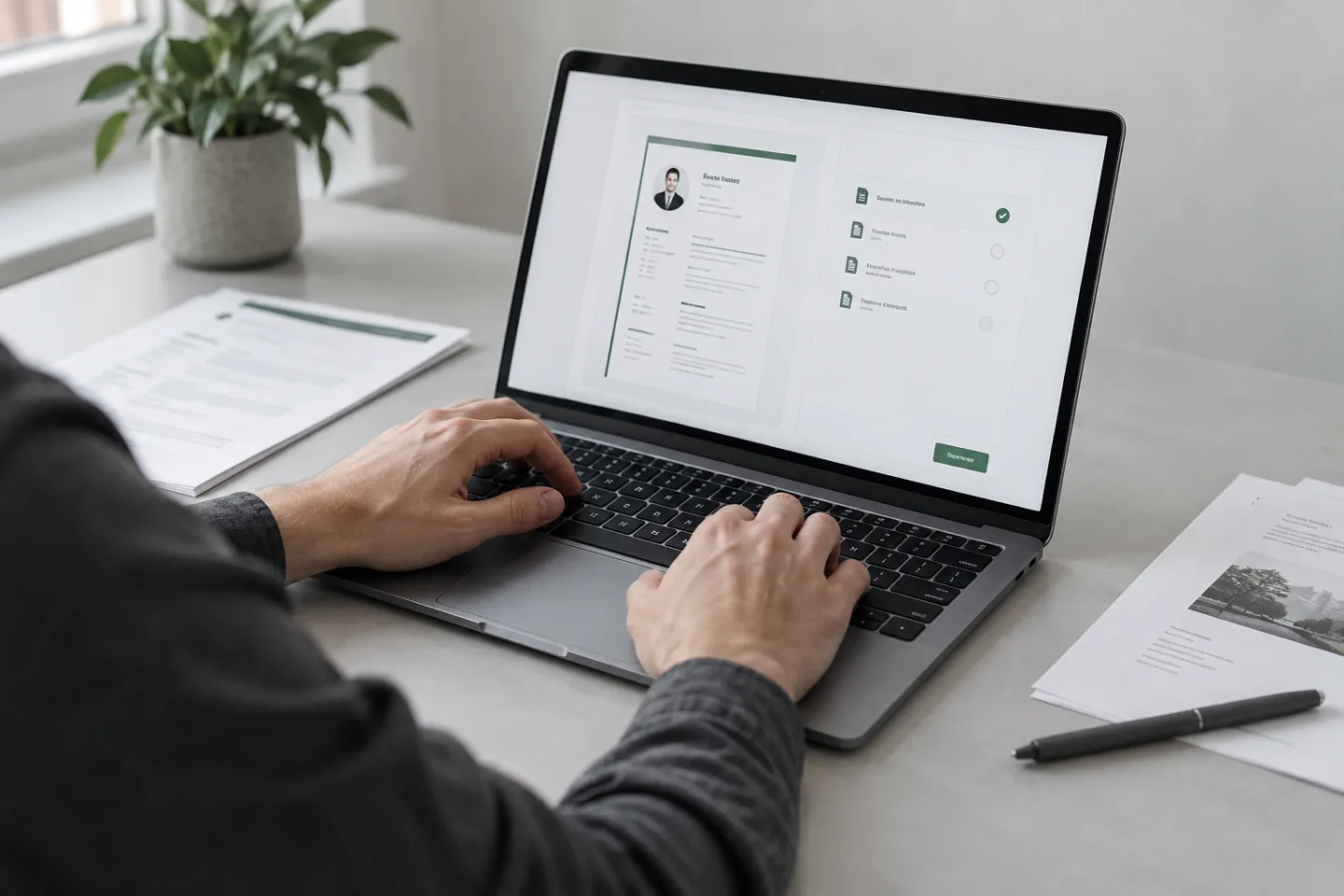
“Work experience”, “Education”, and “Skills” can be assigned quickly. Creative section names should not make this orientation harder.
In your exported file, select a complete station and copy it into an empty text field. If words are missing or dates get mixed up, check the export and the arrangement of the text areas. The copy test is a first signal, but no guarantee of how a given portal will behave.
Use the same style for time periods and assign them clearly to a station. Month and year help people understand transitions and overlaps.
Place a tool where you can explain how you used it: “Excel: monthly analysis of return reasons” says more than a product name on its own. Use the specialist term from the posting when it describes your experience correctly. Repetition and hidden search words do not replace evidence.
A document check can, for example, point to missing details. A high score proves neither a flawless data transfer nor a professional fit for a given role. Work through the concrete notes instead of shaping your resume only toward the highest possible number.
Use the requested file format and check the transferred fields after uploading. If time periods or employers are assigned wrongly, correct them before you send. If the layout causes repeated problems, try a simpler version with clearly separated sections and fewer text boxes.
Why this test matters: Greenhouse names columns and complex tables among possible causes of problems when a file is read. Our designed samples are therefore not a promise of flawless transfer. For your export: PDF and Word compared: check export, readability, and requirements →
Certificates & attachments
An application includes the documents the company needs to assess your fit. Which evidence makes sense depends on the position, your career path, and the requirements in the posting.
Start with the documents that are expressly requested. Add important diplomas, employment references, and matching qualification evidence. Current further training can matter more for a given role than many older attendance certificates with no recognizable connection. At a career start, evidence from vocational training or studies often carries more weight than it does later in a long specialist career.
Example for an application after several years of work: A current employment reference and a relevant degree often explain the qualification better than every older attendance certificate. At the start, the current training evidence can be decisive instead. If a requested document is missing, clarify whether you can send it later instead of leaving the missing attachment uncommented.
Check scans for complete pages, the right orientation, and text that is easy to read. A cut off edge or a missing back page is easy to miss when you assemble quickly. Keep the order easy to follow and name files so their meaning is recognizable. Watch requirements for maximum file size and the requested format.
If a combined file is requested, check it page by page after merging. Is every certificate fully included? Are the pages in the right order? If the file is too large, first optimize large scans. After every compression, check whether small type and stamps are still recognizable.
Choose work samples for the target task, not only by their length. Add three short notes to each sample: starting question, your share, and the work result. For a presentation that could mean: “Analysis of the customer interviews and creation of slides 4 to 8; design together in the team.” Test a portfolio link without signing in and state any needed access notes clearly.
Share only content you are allowed to use for this. If a project contains internal information or other people’s data, use an approved presentation or a suitable example of your own. Mark group work and practice projects correctly. That way the work sample stays easy to follow without creating a false impression of your area of responsibility.
Which documents belong in your application? Select application documents and put them together well →
Email, PDF, and application portal
First check the requested application path: email address, career portal, or a specific form. The following steps help you with sending. Go through them with the final version, not with a preview in the writing program. What matters is the right assignment, readable attachments, and a recognizable confirmation of sending.
Name the position and, if there is one, the reference number from the posting. “Application as Marketing Manager – reference MM26 – Tobias Hartmann” is clearer than “My documents”. The person who receives your message should know immediately which posting it belongs to.
Sample to adapt: “Dear Ms Beispiel, please find attached my application as Marketing Manager, reference MM26. Resume, cover letter, and the requested evidence are in the attachments. You can reach me for questions at … Kind regards, Tobias Hartmann.” Replace greeting, role, and attachments with the actual details.
Open each file from the prepared message. Check names, order, and readability. Use a clear name such as “Tobias_Hartmann_Resume.pdf”. Whether documents are wanted individually or together follows from the company’s requirements.
A portal can copy data from the resume into fields. Check job title, time periods, employers, and contact details one by one. If information is assigned wrongly, correct it in the form. The uploaded document and the details in the portal should tell the same story.
Draft longer answers in a separate document first. Start with the answer to the concrete question, add matching evidence, and stay within the character limit. For “Why this role?” you need motivation; for “Describe a project” the task and your own contribution are the focus. After pasting, check paragraphs and special characters.
A saved draft is not yet a sent application. Check whether there is another step to send after uploading. Save the confirmation page or the confirmation of receipt. If the status is unclear, first check the portal status and your spam folder before you send the same documents again.
Check once more before sending: Go through the seven points in the application check →
After the template comes the overview
Which version did you send? What was agreed in the last conversation? When one draft turns into several applications, a central overview helps. Get to know CVura – the app from the team behind Bewerbungsstil.
Your experience as the foundation. For each role, choose what is truly relevant.
Documents with their context. Keep the sent version with the matching application.
The next step in view. Keep notes, replies, and conversations together.
The samples on Bewerbungsstil are independent examples. You will find information about the app’s features and templates at CVura.
Organize applications
Create one entry per application, not per file. Company, role, send date, status, contact, and the next agreed step belong together there. Whether you use a table or an app is secondary: Later you should be able to see what you sent when and to whom.

Besides the link, save the content of the posting as well, for example as a PDF. That way you can prepare if the posting is later no longer online. Note the company, the exact position, the reference number, and the contact. Example: “Nordlicht Studio · Marketing Manager · MM26 · career portal”. Add your own questions about the role directly to this entry.
Keep the version you actually sent separate from your current draft. A folder “2026_09_13_Nordlicht_Marketing” with a subfolder “Sent” can already be enough. Add the confirmation of receipt and answers from forms. For the next role, edit a copy so the first application stays traceable later without changes.
Write a concrete next step instead of only “waiting”: “A reply was announced for Friday; check the status after that”. After a conversation, capture new information and open questions. When you follow up, name the position and the application date and politely ask about the timeline. Avoid parallel questions through several channels without a new reason.
Build a reliable process: Organize document versions, replies, and next steps →
A final check before you send
Go through your finished application point by point. The checkmarks show your own review. No documents are uploaded and no answers are stored.
AI as support while writing
Use AI for a clearly limited writing task: order keywords, shorten a long sentence, or compare two wordings. Provide your own notes and the relevant task from the posting. The question “What is missing in my paragraph?” can be more helpful than asking it to write a complete application without background.
A sentence may become clearer without making your role sound larger. So “supported the project lead” should not become “led the project”. Likewise, a tool you are only just getting to know must not appear as a core skill of many years.
Compare original notes and suggestion side by side. Mark everything that was newly added: numbers, product names, responsibilities, or reasons. Keep additions only when you can confirm them. Before you enter anything, replace confidential names and internal details with neutral placeholders and check the privacy settings of the service you use.
Compare credible wording →Fictional note: “Maintained dates for the project lead; collected feedback from five people involved; updated the status list every week.” The person’s own share is clear there. Leading the entire project cannot be inferred from that.
Example instruction: “Formulate these notes as three short bullets for my resume. Use only my details. Invent no numbers, skills, or successes. Ask follow up questions if my own share is unclear.” After that, add only information you want to share with that service.
A fitting suggestion would be: “Maintained the project schedule, gathered feedback from five people involved, and updated the weekly status overview.” “Led a team of five people” would be an unsupported upgrade instead.
For the finished sentence, answer two follow up questions: What did you actually do for this? Where did the result become visible? If you need the original notes again for that, simplify the wording. It should describe your work, not test your vocabulary.

Prepare for the interview
Open the application you sent and choose three examples: a successful task, a difficult collaboration, and a situation you learned from. For each, note the context, your share, and the result. That way you can answer different questions without memorizing a separate text for each one.
Build how you introduce yourself from three parts: Where you stand today, which experience is relevant for the role, and why you want this next step. Try about one to two minutes as a practice frame. If the other person asks a question, respond to it instead of holding rigidly to your prepared order.
Note your own questions whose answers affect your decision: “What should the person take on independently after the first three months?” or “How are conflicting priorities resolved in the team?” For a digital conversation, test camera, microphone, and the access link beforehand. Also keep a contact option ready for technical problems.
Questions and preparation for the interview →How to structure an answer: situation, task, action, and result. The following example is fictional.
“Handovers between sales and service regularly lacked customer details.” Name the concrete problem first.
“I was supposed to align the needed details with both teams.” Limit your own responsibility.
“I collected follow up questions, created a handover list, and tested it with the team.” Describe your approach.
“The team adopted the list into its process. Whether this leads to fewer follow up questions, we have not yet evaluated.” Separate the observed result from open impact. That is still a complete answer.
More knowledge for your next application
You do not need to read every guide in sequence. Choose the point where your draft is currently stuck: the selection on the resume, a convincing argument in the cover letter, or preparation for follow up questions. Each guide takes you from a concrete question to a next working step.
Which details belong in it? How do you explain your experience, a change, or a pause? And what matters in the finished PDF?
Read the resume guide →Compare interchangeable and concrete openings, build a motivation paragraph, and review a complete sample. With a checklist for the finished text.
Read the cover letter guide →Prepare how you introduce yourself, typical questions, and concrete stories. With a plan for in person and digital conversations.
Read the interview guide →Good to know
Orientation for your next step. What remains decisive are the requirements of the given role and your personal starting point.
Our foundations also draw on the Bundesagentur für Arbeit and the Europass portal.
For many applications, one to two pages is a sensible starting point; the Bundesagentur für Arbeit also recommends a maximum of two pages in its guide. What matters is that the relevant experience stays easy to read. Shorten repeated routine tasks, long lists of traits, and older details with no link to the role. A second clear page is more helpful than an overcrowded first one. For academic or international applications, other expectations can apply.
Compare two samples with the same content of your own: your longest role, the longest employer name, and the most important skills. Where do these details stay clearest? “Auftakt” shows projects at a career start, “Perspektive” a change, and “Profil” leadership. The categories are orientation, not fixed rules for certain occupations. Compare Resume templates.
Yes. You can open all thirty resume samples and switch to the matching cover letter in the preview. You do not need an account for that. They are filled examples for comparing, not files you can edit here or downloadable Word templates. Information on creating your own documents, on exports, and on the app’s offering is on CVura on the App Store ↗.
An application photo is not required. Our samples show example photos; for your own application you can also decide against a photo. If you use one, choose a current, professional portrait with a calm background. Notes on this are available from the Bundesagentur für Arbeit.
Check the posting and the required fields in the portal. If a cover letter is expressly requested, it belongs with the application. If it is expressly waived, do not send an extra text unasked. If it is optional, ask yourself whether it explains something important, such as your motivation for a career change. If it only repeats the same details as the resume, that extra value is missing.
Many portals take details automatically from your file. Use selectable text, clear headings such as “Work experience”, and an order that is easy to understand. After uploading, check names, dates, and roles one by one. No layout guarantees flawless processing by every applicant tracking system, also called ATS. More on choosing a file: Resume as PDF or Word.
Bewerbungsstil is a careers information offering from Rocket Digital, the team behind CVura. Here you find templates and guides. CVura brings work on resumes, cover letters, and applications together in an app. The official product page informs you about features and availability.
Ready for the next chapter?
You have found a style and know which experience counts for the role. Discover CVura and see how the app can help you keep working. Or first compare the templates here at your own pace.