
Video interview preparation means testing the actual device, sound, camera position and connection before a scheduled live conversation. Read the invitation first: check the format, time zone, joining instructions and recruiter contact. Use a quiet workable setting, prepare a short test with another person where possible and agree what to do if the call fails. Good equipment checks support clear communication; they do not replace relevant examples or guarantee an offer.
Start with the invitation, not a universal platform checklist
Is this a conversation with an interviewer at a fixed time, or a recording you submit before a deadline? That distinction changes what you need to prepare. This guide covers a scheduled live interview. A recorded assessment may have its own rules for practice, attempts and submission; do not assume a checklist for live calls answers those questions.
Read the date, time zone, expected duration and joining instructions together. Check which device or software the invitation requires, whether installation or an account is needed and whom to contact if access fails. Ask about unclear requirements early enough to receive an answer. A calendar entry with only a time and no zone is not a complete plan for an international conversation.
The official National Careers Service video interview guide distinguishes live and recorded formats. Our interview preparation guide covers the broader conversation. Here the specific question is whether your actual setup lets you hear, speak and respond without unnecessary distractions.
Video interview preparation: check what both people hear
Do not treat a moving microphone indicator as proof of clear sound. If the platform offers an official test facility, use it. Where possible, make a separate practice call with a consenting friend using the device and location you intend to use. Do not enter the employer’s meeting for an unscheduled rehearsal unless the invitation permits it.
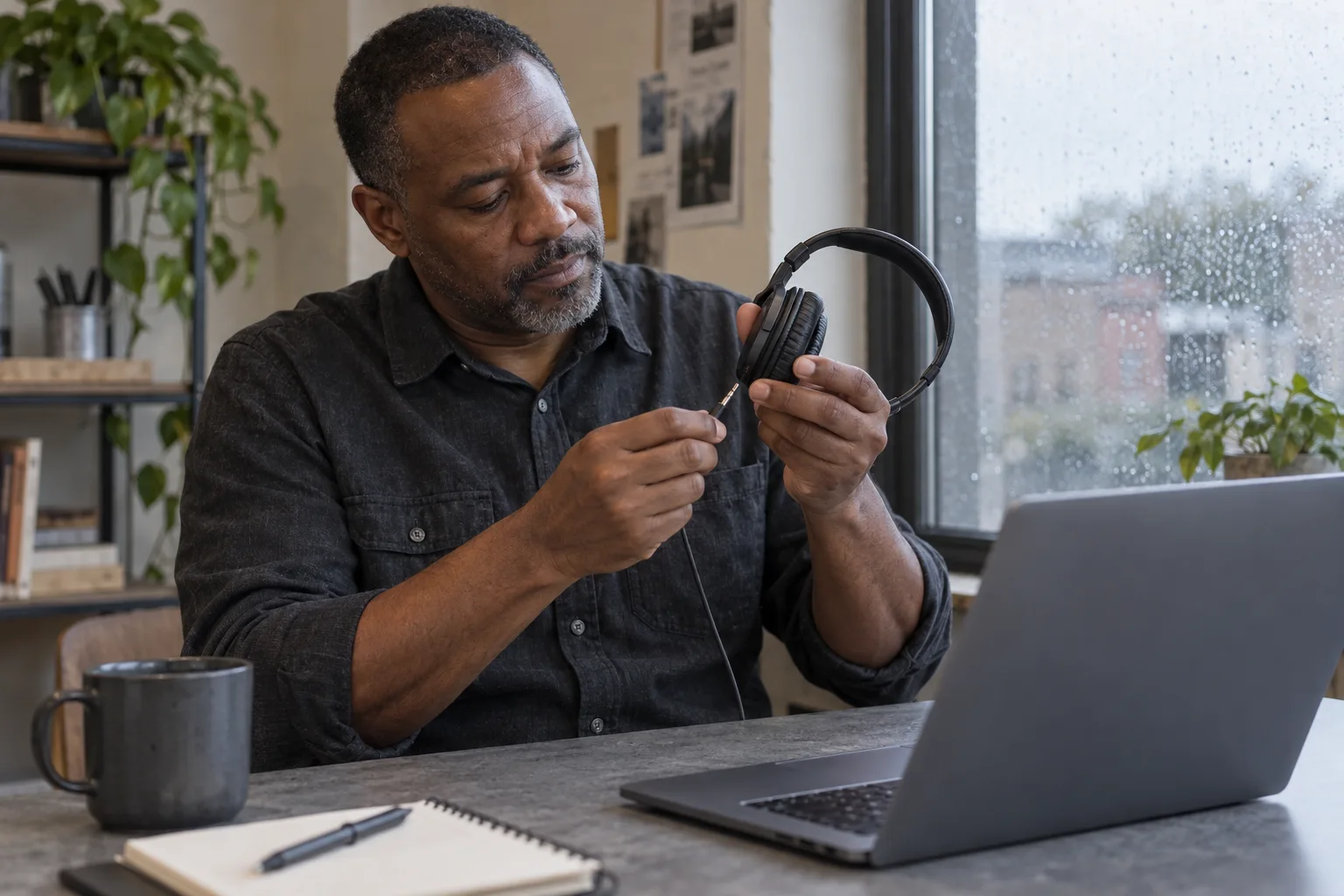
Say a short answer at your normal speaking volume. Ask the other person whether words are clear, whether background noise masks the sentence and whether they hear an echo. Listen to their reply too. You need working input and output: a microphone can work while the selected speaker or headphones do not.
Check the selected audio devices in the actual application or browser. A headset plugged in after an earlier test may change the setup; a phone accessory does not necessarily work the same way on a laptop. If something fails, consult that platform’s current help rather than changing several settings at once. Retest after the change so you know what improved.
Make the camera view useful, not theatrical
Open a permitted preview and sit where you will sit during the interview. Use a stable surface; avoid balancing the laptop on a loose pile that shifts when you type. Aim for a comfortable camera position near eye level, with your face visible and enough room to move naturally. You should not need to hold the device throughout the conversation.
Compare the view with the room itself. A bright window behind you may leave your face difficult to see. Try turning the seat or using existing light from in front or slightly to the side. Check again at roughly the interview’s time of day where practical: afternoon sunlight may differ from an evening rehearsal.
Remove private material within the frame, including readable letters, another person’s documents and reflections you did not initially notice. A virtual background is optional, not a hiring requirement. Test it with ordinary movement; if its edges distract or it hides your gestures, a simpler physical background may be easier. A home people live in does not need to become a showroom.
Example one: a working camera but an untested microphone
In this fictional example, Maya rehearses on her laptop camera, then decides to use a headset for the interview. She has not checked which microphone the call will use. A window behind the chair also makes her face hard to see. Buying a new camera would not address either problem.
The camera turns on and the headset is plugged in, so I am ready. I will work out the sound when the recruiter joins.
I will test a short conversation with this headset and laptop, check which microphone is selected and ask whether my voice is clear. I will move the chair so the existing window light reaches my face, then check the preview again.
Maya changes one thing at a time. If the integrated microphone gives clearer sound in this room, she can choose it rather than using an accessory simply because it looks professional. The decision is based on a real listening check, not the price or appearance of the equipment. She retains the working arrangement for the appointment instead of making another untested change just before joining.

Prepare a fallback without changing the employer’s process
Test the connection from the place you plan to use, not only from elsewhere in the building. Check power and charging arrangements so the device can stay on for the expected conversation. Pause unnecessary downloads or streaming where you control them. A successful test reduces uncertainty but cannot promise that the connection will remain stable throughout the interview.
Keep the recruiter’s agreed contact route accessible outside the video window. If it is only in a message on the device that fails, you may struggle to find it. Note the necessary details privately; do not spread the meeting link or someone’s personal contact information in a public document.
If you already know that access or connectivity may be difficult, raise it beforehand and ask what alternative the recruiter accepts. A telephone conversation, another link or a changed arrangement needs agreement. Do not decide that a different platform is automatically acceptable. If you need an accessibility adjustment, explain the relevant requirement without assuming this general guide describes the employer’s process.
Example two: clarify an interrupted question before answering
Leo’s connection briefly freezes during a fictional live interview. He hears the beginning of a question about a project, but not the condition attached to it. Guessing and giving a prepared answer could mean responding to a different question. A short explanation helps the interviewer understand what happened.
I think that was about teamwork, so I will give my teamwork answer. I will keep talking even though I cannot hear whether you are speaking.
The sound briefly cut out after you mentioned the project deadline. Could you repeat the rest of the question? If the connection drops again, may I use the contact route in the invitation so we can agree the next step?
If the call disconnects entirely, use the agreed route and describe the immediate problem briefly. Follow instructions for rejoining; do not repeatedly enter unrelated links or send several contradictory messages. Once communication is restored, confirm where to resume. A calm factual explanation is useful, but no wording can guarantee that an employer will offer a particular fallback or assess a disrupted interview in a particular way.

Keep useful notes accessible without reading a script
Prepare the exact application version you submitted, the role description and a short list of questions. You should know where each item is before the interview, without opening every folder during an answer. If the invitation sets rules for notes or materials, follow those rules. Ask about anything unclear rather than treating a hidden document as automatically permitted.
A few headings can prompt real examples: the situation, your action and what you can honestly say about the result. A page of fully written answers can make it harder to listen to a different question. Practise glancing at one prompt and returning to the conversation. Our interview questions guide helps with content; the application documents guide helps identify the relevant material.
Close unrelated windows and mute avoidable notifications using controls you understand. If sharing a document is part of the appointment, prepare the permitted file and check what would be visible, not an entire private desktop. Do not share or record other people’s conversation without an appropriate agreement. Your own practice does not require recording the employer’s interview.
Final check: a clear conversation matters more than a perfect room
Finish the technical checks before turning back to the role and your examples. Leave enough time to follow the invitation’s joining instructions and address an ordinary access issue. There is no universal rule that every candidate must enter the room a fixed number of minutes early. Avoid joining so early that you intrude on another appointment; use any instructions for the waiting room given.
Before the live appointment
- The format, date, time zone and joining route are clear.
- The intended device and location have been tested.
- Both microphone and listening output work.
- The camera is stable and the face is visible.
- Private material is outside the frame.
- Power and the agreed fallback contact are available.
- Permitted notes and the submitted application are easy to find.
- Unrelated notifications and windows are closed.
At the start, a brief check that you can hear each other is enough. Listen to the actual question, allow the other person to finish and ask for clarification when necessary. At the end, leave the meeting deliberately and check that camera and microphone use has stopped before resuming private activity. Afterwards, note a specific setup change for next time rather than judging the whole interview by a single technical interruption.
Frequently asked questions
Do I need to buy a webcam or headset?
Not automatically. Test the equipment you already have in the actual setting. A purchase does not substitute for checking sound, stability and light; choose an alternative only if the real test shows a problem you need to solve.
Can I use a phone?
Check the invitation and platform requirements first. If a phone is accepted, test audio, charging and a stable position that does not require holding it. Do not assume every assessment supports the same devices.
Is a virtual background necessary?
No universal requirement applies. Use a simple physical setting or a tested virtual background that does not interfere with movement. Protect private material rather than trying to make the room look expensive.
What if I cannot hear a question?
Say where the sound cut out and ask for the missing part. If the call fails, use the agreed contact route to arrange the next step instead of guessing the question or switching platforms without agreement.
Does this checklist cover recorded interviews?
It helps with some equipment checks, but recorded assessments have separate instructions for deadlines, practice and attempts. Read those requirements; do not assume you can stop, repeat or submit again.